
Pricing
Simple, honest pricing
One plan. Everything included. No surprises.
- $69 / monthPer organization, not per user. Unlimited jobs and users.
- Built forRestoration companies, mold-first. Water and fire jobs share the same record.
- Next stepA 30-minute demo, then we set up your company account.
Pricing
One plan. Everything included. No surprises.
One organization plan. Evidence-backed AI report drafting, proposal e-signatures, lab tracking, calculators — all in. No tiers. No add-ons. A one-month business pilot is available after company onboarding.
Organization plan · A one-month business pilot is available after company onboarding
- CRM customer & job records
- Job pipeline with stages
- iPhone app field access
- Inspection documentation
- Photos organized by floor, room & category
- Environmental readings
- Mold sample & lab tracking (Priority Lab, EMSL, Hayes where supported)
- Evidence-backed AI-assisted report drafting with review
- Editable branded reports with revision history
- Flexible proposal builder and custom templates
- Secure proposal signing with version locking
- Call / text / maps from the job
- Multi-stop Google Maps routing
- Job media & files
- Scheduling with Google Calendar handoff
- Pipeline financial visibility (amounts owed / paid)
- Team & organization permissions
- Branding settings
- Restoration calculators
- Unlimited jobs & users
- Email & chat support
Coming soon
- Post-decon clearance reports
- Video walkthrough auto-classification
- Advanced water drying system
- Floor-plan generation
- Proposal PDF field placement
- Payments & accounts receivable
- Automated SMS
= flagship feature.
Restoration Workflow is sold directly to restoration businesses and other organizations for use by their authorized employees. It is not offered as a consumer, family, or personal subscription. Organization onboarding is required before accounts are provisioned.
Real screens from the app
What the $69 plan runs today
Screenshots from the live product, not mockups.
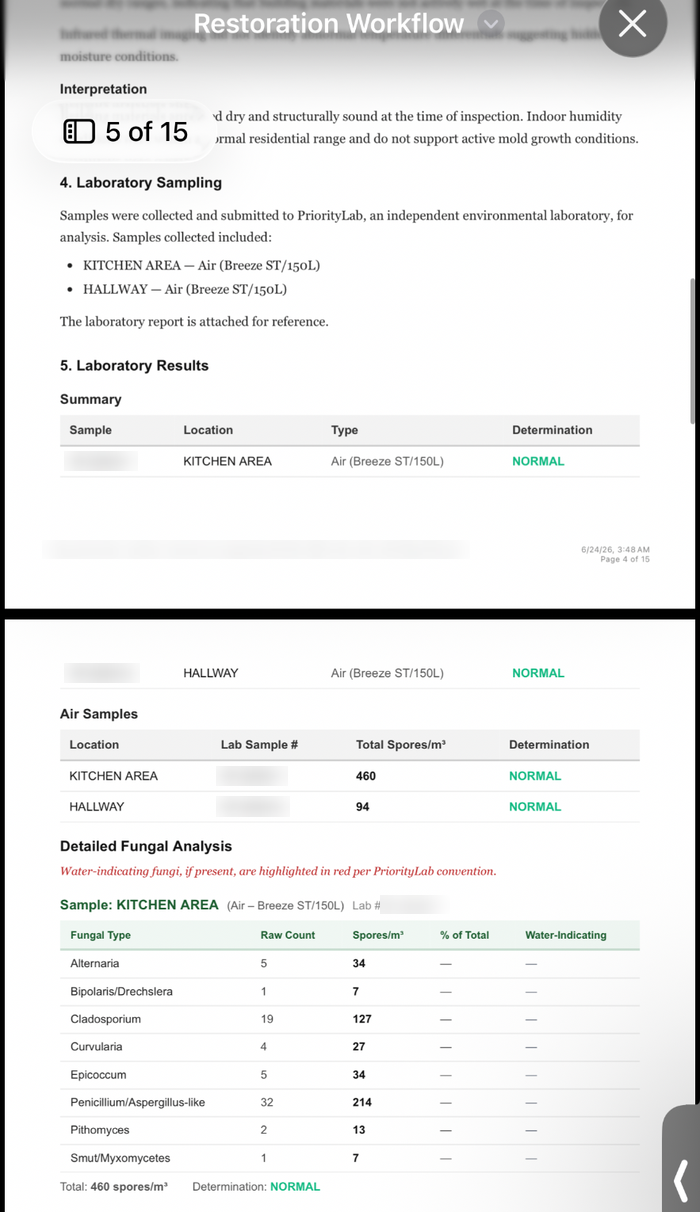
Inspections, mold samples and lab results
Techs document the inspection on their phone: readings, photos by floor, room and category, and mold samples. Supports workflows and reports from common labs including Priority Lab, Hayes Microbial and EMSL.
Mold remediation workflow →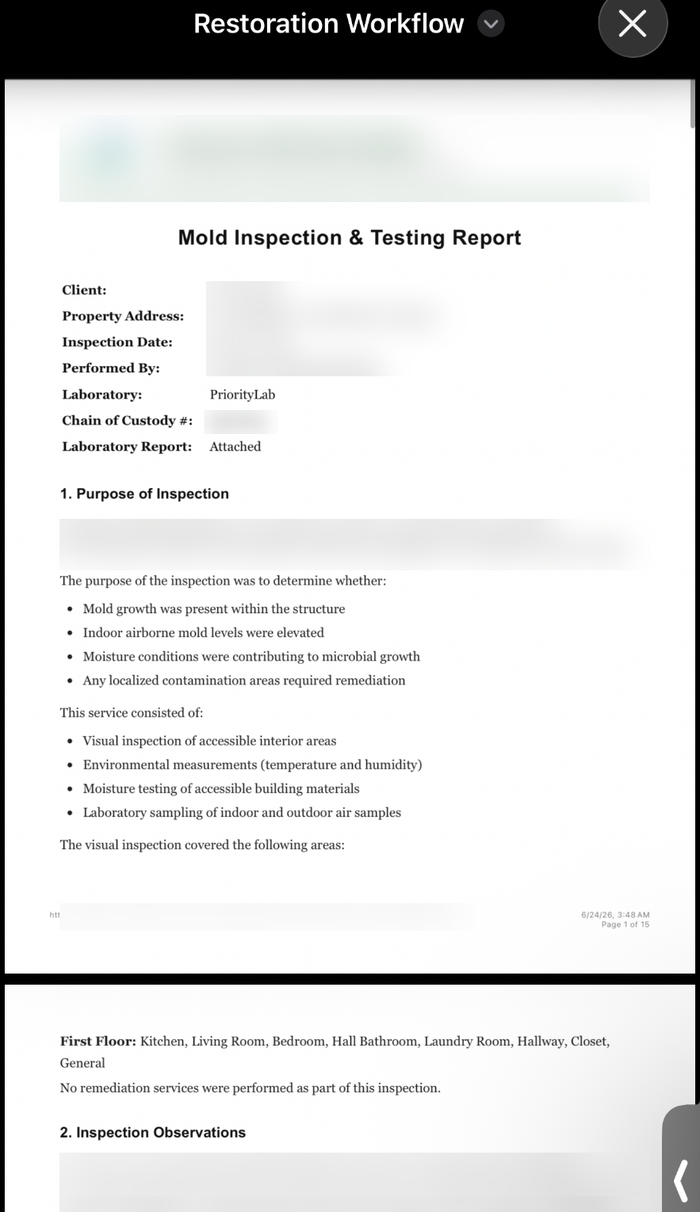
Evidence-backed reports you review
AI drafts a report from the findings, readings, photos and lab data already on the job. You edit and approve it before it goes out. Original lab documents and every revision stay on the job.
See the full workflow →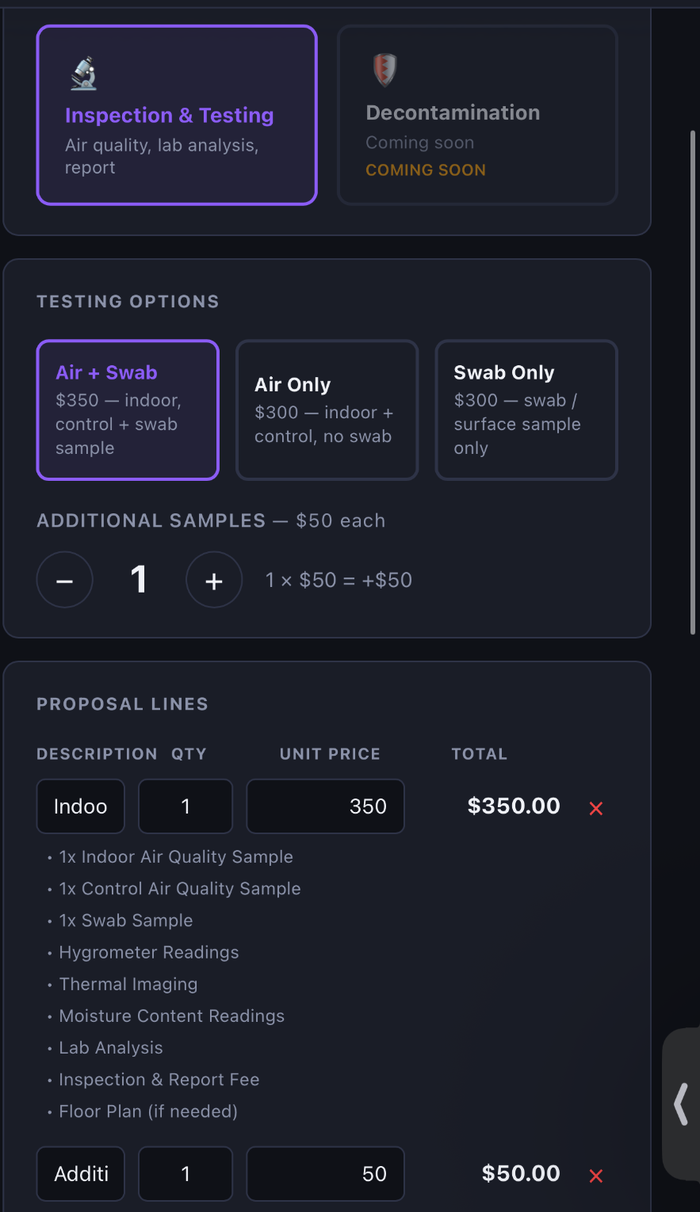
Editable proposals and secure signing
Build from your own templates. Add, duplicate, reorder or remove line items and edit scope, terms, quantities and pricing, then send for secure signature. The signed version is locked.
Proposal software →Getting started
How company onboarding works
Restoration Workflow is sold to restoration companies, not individual consumers.
- 1
Book a 30-minute demo
We walk through a real job and check that the workflow fits your company.
- 2
We set up your company account
Accounts are provisioned for your organization. There is no instant self-service signup.
- 3
Your team starts working jobs
Admins invite the team and set permissions. Everyone uses the same job records on the web and the iPhone app.
FAQ
Common questions
Everything you need to know before getting started.