
Restoration Proposal Software
Restoration Proposal Software That Doesn’t Lock You Into a Rigid Template
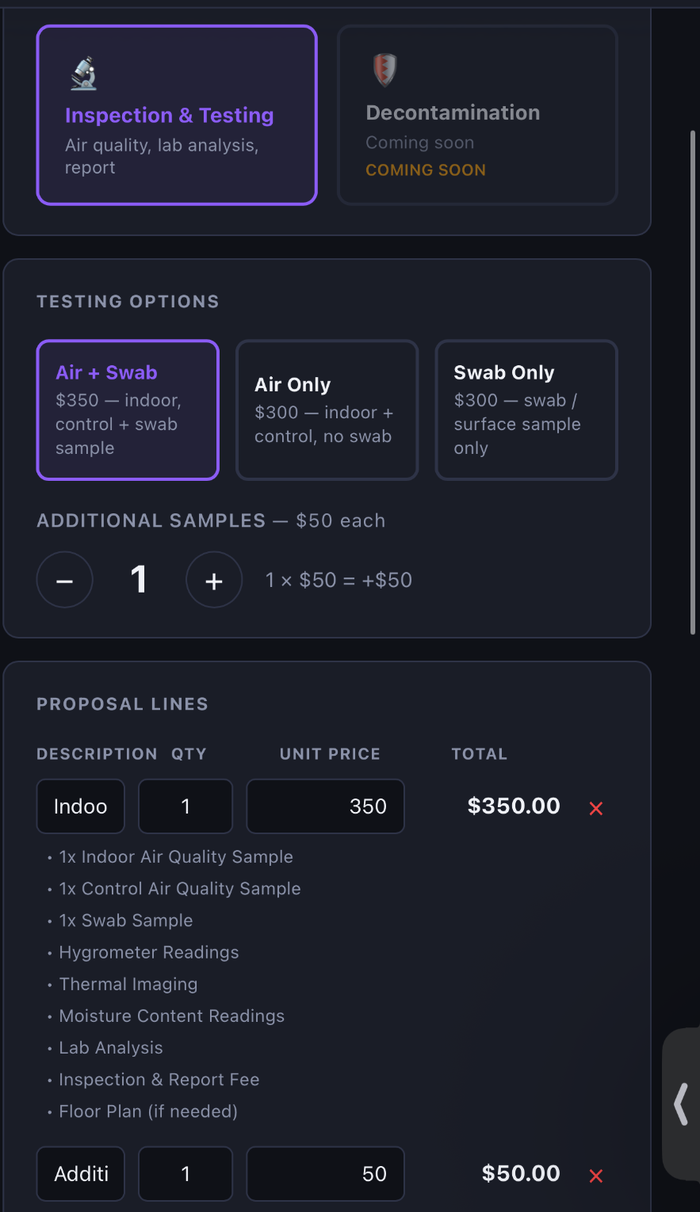
Build the proposal the job actually needs — add, duplicate, reorder, and edit line items, scope, notes, terms, quantities, and pricing — then send it for secure customer signature.
Build it your way
A proposal builder that bends to the job, not the other way around
Every line item, description, quantity, and price is editable — before and after you build the first draft.
- Start a custom proposal from the job record
- Add line items with editable descriptions
- Edit quantities and pricing on any line item
- Add bullet-level detail under a line item
- Duplicate a line item instead of retyping it
- Reorder and move line items up or down
- Delete line items you don't need
- Edit the scope of work in plain language
- Edit notes and terms before sending
- Send the proposal for secure customer signature
- Preserve the signed version once it's completed
- Start a new version without altering the signed copy
Signing
Send it for signature. Keep the signed copy locked.
Once a customer signs, that version is preserved. Need to change the deal? Start a new version — the signed copy stays untouched.
- Send the proposal for secure customer signature
- Signed versions are preserved and locked
- Start a new version without altering the signed copy
Keep exploring
See the rest of the proposal workflow
Proposals sit on the same job record as the inspection, lab results and report, so scope and pricing come from what was found on site. Onboarding starts with a 30-minute demo; we then set up your company account.
Stop running jobs on spreadsheets.
A one-month business pilot is available after company onboarding.