
Video Walkthrough & Property Capture
Keep property photographs organized by floor, room and category, with selected images connected to the inspection report. Organized photos and captions give the office a clearer record of what was observed on site.
- Photos organized by floor, room, and category
- Bulk photo upload
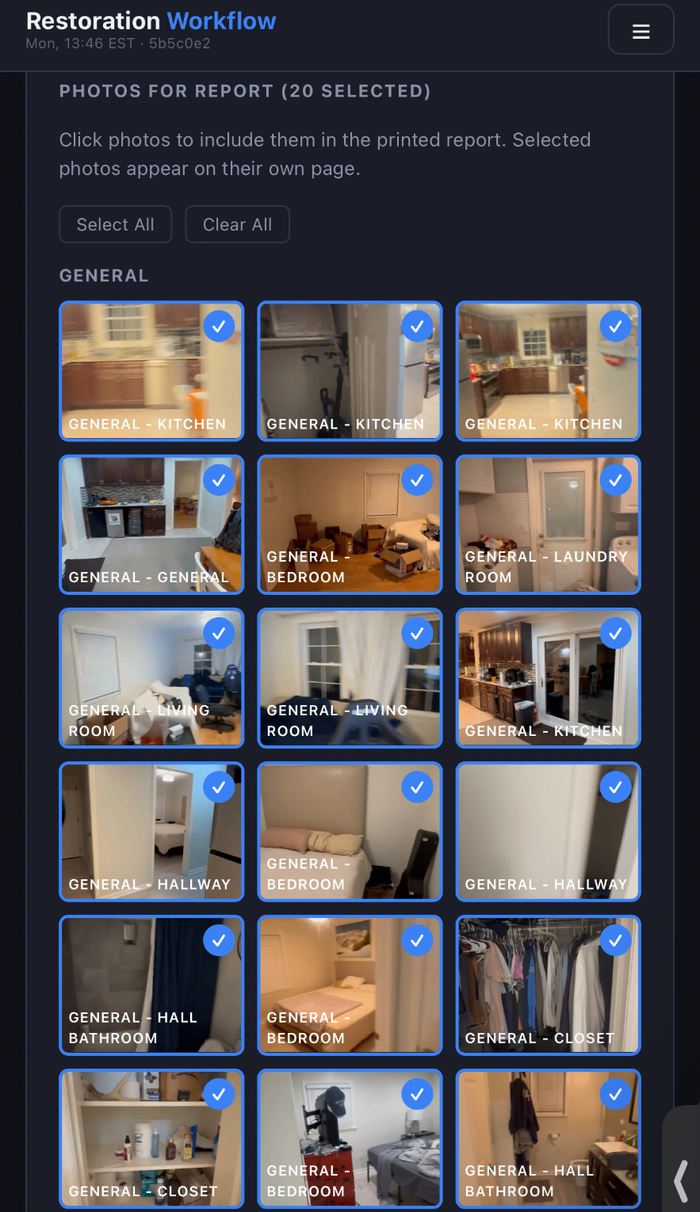
Today: photo-based documentation, organized by floor and room.
Inspection photos are captured on the phone and organized by floor, room, and category, then flow directly into the report — no video processing required.
Keep exploring
AI-Assisted Report Drafting
AI drafts a branded, editable inspection report from the evidence already on the job — the restoration professional reviews and approves it before it goes to the customer.
Pipeline Financial Visibility
See what's owed and what's been paid across your pipeline without opening a spreadsheet. Amounts owed and paid are tracked on every job and rolled up per customer.
Proposals & E-Signatures
Edit the scope, pricing, notes, and terms before sending a supported proposal or authorization form through a secure customer signing link.
Floor-Plan Annotation
Upload a floor plan and drop pins where you find things — lab samples, visible mold, elevated moisture. The annotated plan flows straight into the report PDF.
Drying & Remediation Calculators
Built-in field math. Psychrometrics & GPP, dehumidifier sizing, air-mover counts per IICRC S500, and a fogging-time calculator that uses your captured square footage.
Job Pipeline & CRM
A visual 13-stage pipeline from Lead to Closed/Paid. One-click stage advance. At-a-glance alerts for emergencies, jobs awaiting lab, and reports waiting to be sent.
Stop running jobs on spreadsheets.
A one-month business pilot is available after company onboarding.